Face-shape geometry
Compare length, cheek, jaw, and forehead proportions with six common shape families.
On-device geometryNo beauty score
Use one photo to explore face-shape geometry, hairstyles, frames, and a palette you choose. No rankings or medical claims.
For adults 18+. Style guidance only.
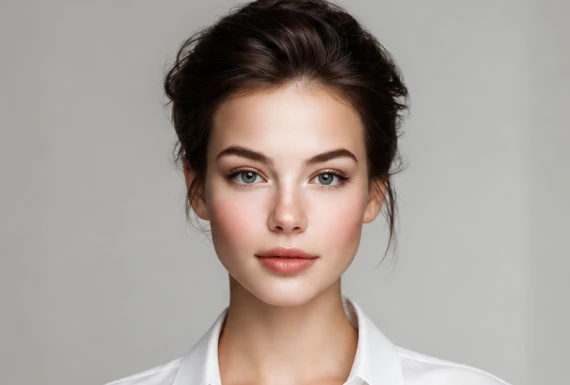 Sample photo
JPG, PNG or WebP, up to 10 MB. You can also drop a file here.
Sample style map
Closest geometry match
Geometry changes with angle, expression, hair coverage, and lighting. Treat this as style guidance, not identity, health, gender, age, or attractiveness analysis.
A practical style map
Compare length, cheek, jaw, and forehead proportions with six common shape families.
Use balance and visual weight to narrow down cuts, parts, fringe, and volume ideas.
Explore angles, curves, lens height, and frame width before trying real glasses.
The photo is decoded and measured in your browser. This site does not upload or retain it.
No attractiveness rankings. No race, gender, age, health, or medical inferences.
How it works
Use an adult, front-facing portrait with even light and minimal hair covering the face outline.
MediaPipe finds landmarks in your browser. A simple ratio model maps the visible geometry to a shape family.
Compare hair and frame suggestions, then select a color mood yourself. Save nothing unless you choose to.
Privacy is the product
The browser downloads the landmark model, processes your selected image in memory, and shows the result locally. MyStyleMap has no upload endpoint for this tool and does not create a face profile.
Questions, answered
It is a geometry-based style estimate, not a scientific identity label. Camera angle, expression, lens distortion, hair, and lighting can change the result, so compare more than one clear photo.
No. The image is read in your browser and is not sent to MyStyleMap. Your browser downloads the MediaPipe model files needed to run the analysis.
No. MyStyleMap only uses landmark geometry for style direction. It does not score attractiveness or infer race, ethnicity, gender, age, health, or medical conditions.
No. This experience is limited to adults who are at least 18 years old and have permission to use the selected image.
Measure face-shape geometry locally, then explore hair, frames, and colors on your own terms.
Try the local analyzerFree preview. No account. No photo upload.